Fiscal Procedures - draft

As a public institution, the University of Oregon is required to follow Generally Accepted Accounting Principles (GAAP) as established by the Governmental Accounting Standards Board (GASB), which include accrual accounting and fund accounting. Banner is the system of record for UO accounting transactions.

Accrual accounting requires revenue and expenses be recorded in the fiscal year and period in which they occur, regardless of when funds are received or disbursed. This ensures an accurate presentation of the university’s assets and liabilities and allows for informed budgeting and forecasting. Accounts receivable, prepaid expenses, payables, and unearned revenue are common accrual entries.

Fund accounting is a system used to track the sources and uses of financial resources. It ensures our financial statements show the origin of funding and that expenditures comply with legally or contractually required restrictions. Commonly used types of funds include the general fund, generated from tuition revenue and state appropriations; gift funds, provided from donors; and grants and contracts, awarded by federal and other granting agencies.

Fiscal Periods and Closing Procedures

Fiscal Year 25 Closing Calendar
Fiscal Year 26 Closing Calendar

The UO’s fiscal year runs from July 1 through June 30. It is divided into 12 fiscal periods plus period 14 for corrections and missed accruals. Periods close at 5:00pm on the dates listed in the closing calendar, usually the fifth business day of the following month. Period 14 opens after June’s close and remains available until late July.

Five fiscal years are typically open for transaction processing – remaining periods of the current year, the first six of the following year, and only period 1 of the last three years.

Fiscal periods stand alone as independent accounting segments and together form the fiscal year. Departments are expected to enter all transactions before each month closes, using accruals when necessary. After the close of each month, incomplete transactions dated in closed periods are removed from the system. Before removal, users receive email notifications so they can complete or delete those transactions.For information on fiscal year-end closing, please visit Year-End Close.

External Revenue, Internal Revenue, and Transfers

The University of Oregon generates many types of income, from both internal and external sources. In accordance with fund accounting, each type of external revenue must be recorded in the proper fund type - gift revenue in gift funds, tuition revenue in the general fund, grant revenue in grant funds, etc. In general, revenue stays in the fund where it is recorded and should not be moved across fund types.

External revenue is revenue a department generates from entities outside the UO. This may occur by charging customers for goods or services, or by receiving gifts and contributions. External sales and service revenue is recorded with account codes 06XXX and gifts are recorded with 036XX.

Internal revenue is revenue a department generates by charging another UO department for goods or services. Internal revenue is an exchange transaction, meaning each party receives something of approximate equal value. Examples include space rentals, administration fees, or resale of equipment. Internal revenue is recorded with account codes 09XXX or 79XXX in the ICC or General Fund.

Transfers are used to move cash between funds where there is not an exchange transaction. These are typically used for correcting a negative fund balance, providing support to a department without receiving anything in return, or correcting prior year transactions. 

Additional resources:

Internal Sales, Transfers, and How to Move Revenue
Fund types: At a Glance
Fund Account Code Matrix

Gifts

A gift is a contribution of cash or property from a donor with no expectation of return. All gifts must be recorded in an appropriate gift fund and are to be reported to Business Affairs using the procedures on the Gifts of Cash or Property webpage.

Lease and Software Accounting

The UO follows GASB requirements for both lease and software accounting. Lease accounting is governed by GASB Statement 87, while subscription-based IT arrangements (SBITAs) are governed by GASB Statement 96. Departments must report qualifying contracts to Business Affairs, which records related assets and liabilities, reconciles activity, and ensures proper account coding.

More information can be found on the Lease Accounting webpage and the Software Accounting webpage.

Accrual Entries

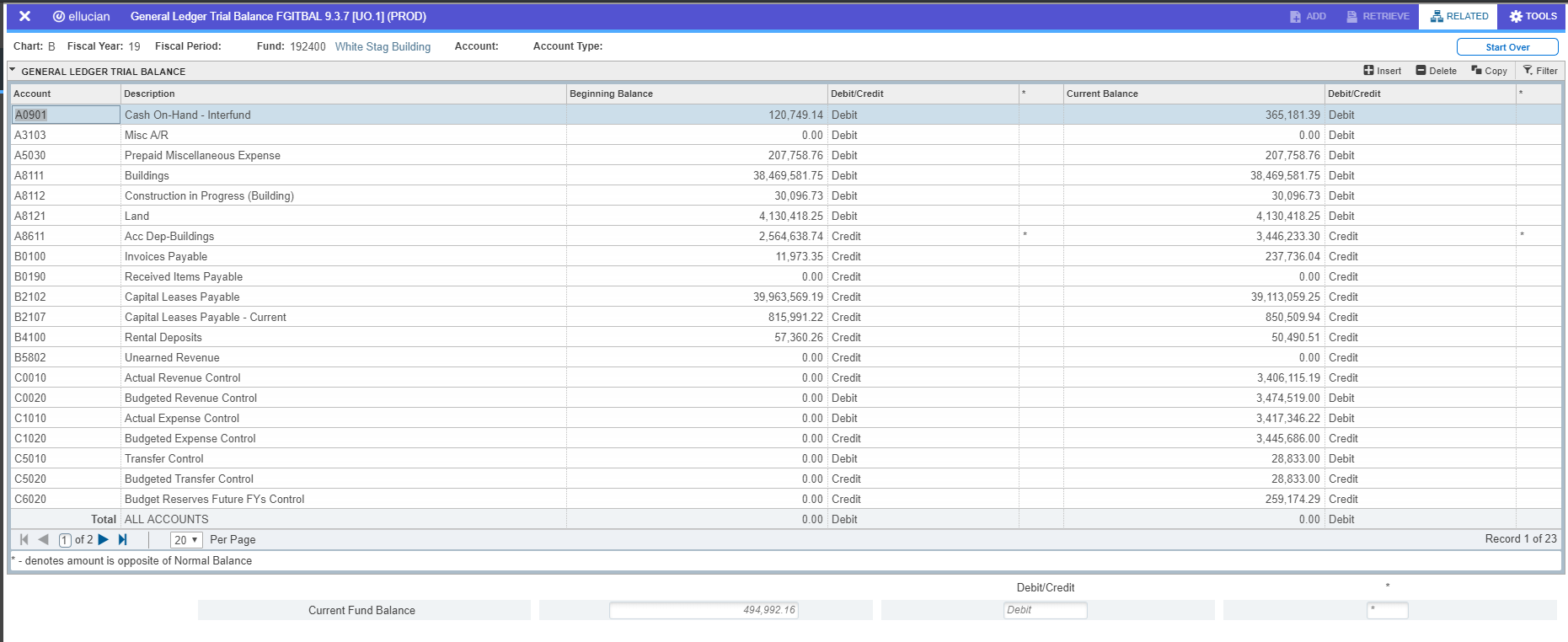
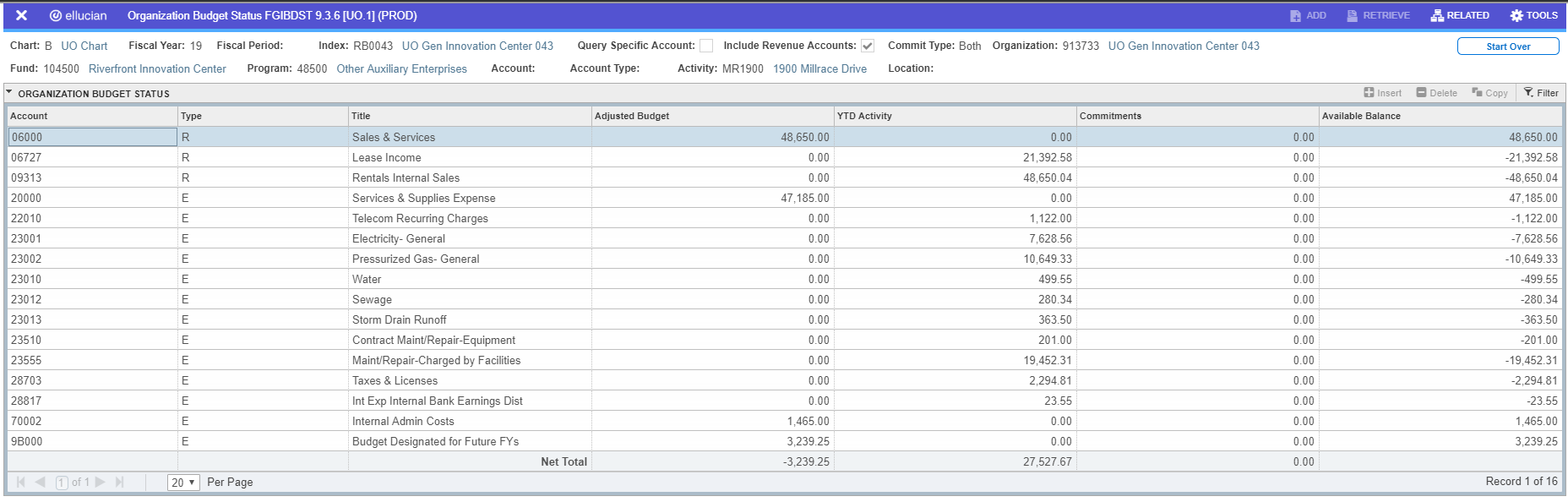
Departments use general ledger account codes to record accrual entries, ensuring expenses and revenue are posted in the proper fiscal year. For more information about the general ledger and how to see these entries in Banner, please see the webpage Operating Ledger and General Ledger.

Accounts Receivable (Non-Student)

Accounts receivable reflects amounts owed to the UO by external customers. Departments use AR entries to recognize revenue in the fiscal period when products or services are provided. At year-end, departments with accounts receivable balances must submit a detailed list and aging report of amounts owed to Financial Services. See Year-End Close for more details.

To record revenue and receivable: 
Debit — Department index — Account code A3103 Misc AR
Credit — Department index — Account code 06XXX Revenue

When payment is received, departments should use TWADEPO to reduce the receivable; revenue should not be recorded a second time:
Debit — CASH, CHEK, or CARD
Credit — Department index — Account code A3103
Misc AR

Department Deposits in Transit

Deposits in transit record payments departments have received but cannot deposit with Cashiers before the last business day of the month.

To record deposit in transit in the month the payment was received:
Debit — Department index — Account code A0951 Cash-Department Deposit in Transit
Credit — Department index — Account code
Revenue, Unearned Revenue, AR, etc.

To make the physical deposit with Cashiers the following month, use TWADEPO:
Debit — CASH, CHEK, or CARD
Credit — Department index — Account code A0951
Cash-Department Deposit in Transit

Prepaid Expense

Prepaid expenses represent amounts paid by departments for goods or services to be received in a future fiscal year. Purchases of $5,000 or greater must be allocated to the appropriate prepaid expense account code and amortized in the correct fiscal year. Purchases under $5,000 are expensed in the current year and not amortized.

Invoices with tax-reportable expense account codes must be coded to their expense account code. Two JVs are then required, one to reduce the expense and record a prepaid expense. The second records expenses in the correct year and eliminates the prepaid expense. 

Current year JV: For amounts of $5,000 or greater posted as expense that are prepaid expenses for future periods or fiscal years:
Debit — Department index — Account code A50XX Prepaid Expense
Credit — Department index — Account code
Expense Account Code

Future period JV: To remove the prepaid and recognize the expense:
Debit — Department index — Account code Expense Account Code
Credit — Department index — Account code A50XX
Prepaid Expense

Common prepaid expense account codes:
A5019 — Prepaid Services & Supplies
A5020 — Prepaid Travel
A5021 — Prepaid Subscriptions/Memberships
A5023 — Prepaid Software Expenditures
A5030 — Prepaid Misc Expense

Accrual Entries

Departments use general ledger account codes to record accrual entries, ensuring expenses and revenue are posted in the proper fiscal year. For more information about the general ledger and how to see these entries in Banner, please see the webpage Operating Ledger and General Ledger.


Payable

Payables represent amounts owed to vendors for goods or services received but not yet paid for, ensuring expenses are recorded in the correct fiscal year. Departments must record a payable for goods or services received by June 30 when an invoice has not been received before fiscal period 14 closes. 

To record the expense and payable in the period the goods or services were received:
Debit — Department index — Account code Expense Account Code
Credit — Department index — Account code B0190
Received Items Payable

To reverse the accrual in the period in which the invoice was paid:
Debit — Department index — Account code B0190 Received Items Payable 
Credit — Department index — Account code Expense Account Code

Unearned Revenue

Unearned revenue is payments UO has received for goods or services it will provide in a future period. 

To deposit payments with Cashiers through TWADEPO:
Debit — CASH, CHEK, or CARD
Credit — Department index — Account code B5802
Unearned Revenue

Future period JV:
Debit — Department index — Account code  B5802 Unearned Revenue
Credit — Department index — Account code Revenue Account Code

Undistributed Revenue

Undistributed revenue refers to amounts deposited into the general ledger account code B5801 – Undistributed Revenue that are pending distribution. The funds must be allocated to the appropriate department index and account codes as soon as possible. Account code B5801 should not carry a balance at fiscal year-end.

To deposit funds into B5801 with Cashiers through TWADEPO:
Debit — CASH, CHEK, or CARD
Credit — Department index — Account code B5801
Undistributed Revenue

To distribute revenue from B5801 to the appropriate department and account code:
Debit — Index — Account code  B5801 Undistributed Revenue
Credit — Department index — Account code Revenue Account Code

 
BA Department
Display If Authenticated
Off
Display Sidebar
On
Label 1
Resources
Label 2
Related Policies
Label 3
Policies
Notice Style
Callout: Block
vf_authentication check

Fiscal Procedures (draft)

As a public institution, the University of Oregon is required to follow Generally Accepted Accounting Principles (GAAP) as established by the Governmental Accounting Standards Board (GASB), which include accrual accounting and fund accounting. Banner is the system of record for UO accounting transactions.

Accrual accounting requires revenue and expenses be recorded in the fiscal year and period in which they occur, regardless of when funds are received or disbursed. This ensures an accurate presentation of the university’s assets and liabilities and allows for informed budgeting and forecasting. Accounts receivable, prepaid expenses, payables, and unearned revenue are common accrual entries.

Fund accounting is a system used to track the sources and uses of financial resources. It ensures our financial statements show the origin of funding and that expenditures comply with legally or contractually required restrictions. Commonly used types of funds include the general fund, generated from tuition revenue and state appropriations; gift funds, provided from donors; and grants and contracts, awarded by federal and other granting agencies.

Fiscal Periods and Closing Procedures

Fiscal Year 25 Closing Calendar
Fiscal Year 26 Closing Calendar

The UO’s fiscal year runs from July 1 through June 30. It is divided into 12 fiscal periods plus period 14 for corrections and missed accruals. Periods close at 5:00pm on the dates listed in the closing calendar, usually the fifth business day of the following month. Period 14 opens after June’s close and remains available until late July.

Five fiscal years are typically open for transaction processing – remaining periods of the current year, the first six of the following year, and only period 1 of the last three years.

Fiscal periods stand alone as independent accounting segments and together form the fiscal year. Departments are expected to enter all transactions before each month closes, using accruals when necessary. After the close of each month, incomplete transactions dated in closed periods are removed from the system. Before removal, users receive email notifications so they can complete or delete those transactions.For information on fiscal year-end closing, please visit Year-End Close.

External Revenue, Internal Revenue, and Transfers

The University of Oregon generates many types of income, from both internal and external sources. In accordance with fund accounting, each type of external revenue must be recorded in the proper fund type - gift revenue in gift funds, tuition revenue in the general fund, grant revenue in grant funds, etc. In general, revenue stays in the fund where it is recorded and should not be moved across fund types.

External revenue is revenue a department generates from entities outside the UO. This may occur by charging customers for goods or services, or by receiving gifts and contributions. External sales and service revenue is recorded with account codes 06XXX and gifts are recorded with 036XX.

Internal revenue is revenue a department generates by charging another UO department for goods or services. Internal revenue is an exchange transaction, meaning each party receives something of approximate equal value. Examples include space rentals, administration fees, or resale of equipment. Internal revenue is recorded with account codes 09XXX or 79XXX in the ICC or General Fund.

Transfers are used to move cash between funds where there is not an exchange transaction. These are typically used for correcting a negative fund balance, providing support to a department without receiving anything in return, or correcting prior year transactions. 

Additional resources:

Internal Sales, Transfers, and How to Move Revenue
Fund types: At a Glance
Fund Account Code Matrix

Gifts

A gift is a contribution of cash or property from a donor with no expectation of return. All gifts must be recorded in an appropriate gift fund and are to be reported to Business Affairs using the procedures on the Gifts of Cash or Property webpage.

Lease and Software Accounting

The UO follows GASB requirements for both lease and software accounting. Lease accounting is governed by GASB Statement 87, while subscription-based IT arrangements (SBITAs) are governed by GASB Statement 96. Departments must report qualifying contracts to Business Affairs, which records related assets and liabilities, reconciles activity, and ensures proper account coding.

More information can be found on the Lease Accounting webpage and the Software Accounting webpage.

Accrual Entries

Departments use general ledger account codes to record accrual entries, ensuring expenses and revenue are posted in the proper fiscal year. For more information about the general ledger and how to see these entries in Banner, please see the webpage Operating Ledger and General Ledger.

Accounts Receivable (Non-Student)

Accounts receivable reflects amounts owed to the UO by external customers. Departments use AR entries to recognize revenue in the fiscal period when products or services are provided. At year-end, departments with accounts receivable balances must submit a detailed list and aging report of amounts owed to Financial Services. See Year-End Close for more details.

To record revenue and receivable: 
Debit — Department index — Account code A3103 Misc AR
Credit — Department index — Account code 06XXX Revenue

When payment is received, departments should use TWADEPO to reduce the receivable; revenue should not be recorded a second time:
Debit — CASH, CHEK, or CARD
Credit — Department index — Account code A3103
Misc AR

Department Deposits in Transit

Deposits in transit record payments departments have received but cannot deposit with Cashiers before the last business day of the month.

To record deposit in transit in the month the payment was received:
Debit — Department index — Account code A0951 Cash-Department Deposit in Transit
Credit — Department index — Account code
Revenue, Unearned Revenue, AR, etc.

To make the physical deposit with Cashiers the following month, use TWADEPO:
Debit — CASH, CHEK, or CARD
Credit — Department index — Account code A0951
Cash-Department Deposit in Transit

Prepaid Expense

Prepaid expenses represent amounts paid by departments for goods or services to be received in a future fiscal year. Purchases of $5,000 or greater must be allocated to the appropriate prepaid expense account code and amortized in the correct fiscal year. Purchases under $5,000 are expensed in the current year and not amortized.

Invoices with tax-reportable expense account codes must be coded to their expense account code. Two JVs are then required, one to reduce the expense and record a prepaid expense. The second records expenses in the correct year and eliminates the prepaid expense. 

Current year JV: For amounts of $5,000 or greater posted as expense that are prepaid expenses for future periods or fiscal years:
Debit — Department index — Account code A50XX Prepaid Expense
Credit — Department index — Account code
Expense Account Code

Future period JV: To remove the prepaid and recognize the expense:
Debit — Department index — Account code Expense Account Code
Credit — Department index — Account code A50XX
Prepaid Expense

Common prepaid expense account codes:
A5019 — Prepaid Services & Supplies
A5020 — Prepaid Travel
A5021 — Prepaid Subscriptions/Memberships
A5023 — Prepaid Software Expenditures
A5030 — Prepaid Misc Expense

Accrual Entries

Departments use general ledger account codes to record accrual entries, ensuring expenses and revenue are posted in the proper fiscal year. For more information about the general ledger and how to see these entries in Banner, please see the webpage Operating Ledger and General Ledger.


Payable

Payables represent amounts owed to vendors for goods or services received but not yet paid for, ensuring expenses are recorded in the correct fiscal year. Departments must record a payable for goods or services received by June 30 when an invoice has not been received before fiscal period 14 closes. 

To record the expense and payable in the period the goods or services were received:
Debit — Department index — Account code Expense Account Code
Credit — Department index — Account code B0190
Received Items Payable

To reverse the accrual in the period in which the invoice was paid:
Debit — Department index — Account code B0190 Received Items Payable 
Credit — Department index — Account code Expense Account Code

Unearned Revenue

Unearned revenue is payments UO has received for goods or services it will provide in a future period. 

To deposit payments with Cashiers through TWADEPO:
Debit — CASH, CHEK, or CARD
Credit — Department index — Account code B5802
Unearned Revenue

Future period JV:
Debit — Department index — Account code  B5802 Unearned Revenue
Credit — Department index — Account code Revenue Account Code

Undistributed Revenue

Undistributed revenue refers to amounts deposited into the general ledger account code B5801 – Undistributed Revenue that are pending distribution. The funds must be allocated to the appropriate department index and account codes as soon as possible. Account code B5801 should not carry a balance at fiscal year-end.

To deposit funds into B5801 with Cashiers through TWADEPO:
Debit — CASH, CHEK, or CARD
Credit — Department index — Account code B5801
Undistributed Revenue

To distribute revenue from B5801 to the appropriate department and account code:
Debit — Index — Account code  B5801 Undistributed Revenue
Credit — Department index — Account code Revenue Account Code


Service Centers & Auxiliaries - draft

Service Centers and Auxiliaries—sometimes called proprietary funds—are self-supporting units at the University of Oregon. Service Centers provide specialized goods or services primarily to university departments, such as IT support or research facilities. Auxiliaries, like Housing, Athletics, and University Health Services, operate more like businesses and are not directly related to the educational mission of the University. Both types aim to cover operating costs without profit, and unlike academic departments, they must use separate accounting structures to track revenues and expenses, ensuring they recover costs through fees or sales rather than state and tuition-supported general funds.

Budgeting

Service Centers and Auxiliaries take part in the university’s budgeting process and follow the requirements set by the Governmental Accounting Standards Board (GASB). Their budgets are expected to conservatively estimate income from user fees and other sources so they can cover all operating costs and maintain financial obligations. This includes setting aside funds for depreciation, bond repayment, building and equipment repair reserves, and replacing equipment, as well as addressing any prior-year cash overdrafts or negative net asset balances.

If projected income isn’t enough to meet these needs, the proposed budget must clearly identify where additional resources will come from to eliminate the shortfall. Likewise, if an auxiliary or other self-supporting activity ends the fiscal year with a cash overdraft, negative working capital, or a negative net asset balance, the unit must submit a revised plan showing how it will correct these issues.

For more information, please see the university’s policy on Finance and Business Affairs.

Building & Equipment Reserves

All self-sustaining proprietary funds – meaning Service Centers (09XXXX funds) and Auxiliary Enterprises (1XXXXX funds) – are required to accumulate sufficient reserves for the purpose of funding:

  • the replacement of depreciable equipment if the capital value of assets owned by the department exceeds $150,000. Service Centers and Auxiliary Enterprises with assets valued at less than $150,000 have the option of establishing a reserve.
  • the repair and alteration of buildings

Service Centers and Auxiliary Enterprises will determine the appropriate level of reserves based on a Capital Asset Management Plan prepared and updated annually. This plan will use a minimum five-year planning horizon and estimate funding needed for anticipated related expenses. Business Affairs is responsible for monitoring reserves and working with proprietary fund departments to ensure adequate reserves. The plan must be submitted to Business Affairs annually and retained for audit purposes.

For more information, please see the university’s policy on Finance and Business Affairs.

Funding Building & Equipment Reserves

To fund the reserve(s), move the amount needed from the operating fund to the building or equipment reserve fund using the general ledger account codes as follows:

Move from operations to equipment or buildings reserves:

Debit — Department operations fund — Account code F0002 
Credit — Building or equipment reserve fund — Account code E0002 

The balance in the reserve fund(s) at fiscal year-end should be adequate to meet the repair and replacement needs as detailed in the department's five-year Capital Asset Management Plan. 

Using Equipment Reserves

Equipment is purchased from the department's operating fund, not the reserve fund. If reserve money is to be used for a replacement purchase, it must be moved from the Equipment Reserve fund to Operations using new General Ledger account codes as follows:

Move from equipment reserve to operations to purchase replacement equipment:

Debit — Equipment reserve fund — Account code F0001
Credit — Department operations fund — Account code E0001

Using Building Reserves

Generally, building/IOTB repair and equipment replacement reserves may not be used for any other purpose than to repair or replace capital assets used in the operation of the related auxiliary enterprise or other self-liquidating activity.

If reserve money is to be used for a building repair or alteration, the department must send a request to move the amount from the department's Building Reserve fund to the related Building Repair fund to CPFM Design & Construction Business Operations who will approve and make the transfer. The request may be an emailed directly to rbasto@uoregon.edu or you may use the Building Reserve Fund Transfer Request form

Service Center Rate Structure Review

After the fiscal year has closed, each service center should perform an annual review of rates to ensure that individual rates are in line with the costs of doing business. Use the three-step process below to assist in setting rates. If there is excess working capital, rates need to be reduced. If the service center is in a working capital deficit, it needs to pay back contributed capital, or fund equipment or building reserves then rates need to be increased.

STEP 1: Review, Sign & Return the Compliance Worksheet.

The Financial Services Department will issue Calculation Worksheets to all service centers. This will occur after closing of Period 10 of each fiscal year. You will need to review the worksheet before advancing to step two.

STEP 2: Identify which scenario applies to you:

Scenario #1 - Standard Service Center - no contributed capital.

Scenario #2 - Service Center with contributed capital.

Scenario #3 - Service Center with excess working capital.

Scenario #4 - Service Center with a deficit in working capital.

Scenario #1

Standard Service Center - no contributed capital

Is line 9 negative?

YES:  Go to scenario #4.
NO:  Answer next question. 


Is line 18 positive?

YES:  This is your excess working capital. Go to scenario #3.
NO:  No action required. 

Scenario #2

Service Center with contributed capital

Is line 9 negative?

YES:  Go to scenario #4.
NO:  Answer next question. 


Is line 18 positive?

YES:  This is your excess working capital. Go to scenario #3.
NO:  No action required. 


Is line 20 greater than zero?

YES:  This requires no action; however the service center may elect to return contributed capital to the original contributor. NOTE: The service center should perform an annual review of rates to ensure that individual rates are in line with the costs of doing business. If a service center chooses to return contributed capital, then the following journal voucher should be processed: 

Transfer of contributed capital funds back to the original contributor 

  1. Debit — Service center fund — Account code D0050 — Contributed capital
  2. Credit — Service center fund — Account code D0010 — Fund balance
  3. Debit — Service center fund — Account code92XXX — Transfer out
  4. Credit — Outside fund — Account code 91XXX — Transfer in 

NO:  Go to Scenario #1 

Scenario #3

Service Center with excess working capital

If line 18 is positive, there are four options:

Option A:  Return contributed capital to original contributor

Debit — Service center fund — Account code D0050 — Contributed capital
Credit — Service center fund — Account code D0010 — Fund balance
Debit — Service center fund — Account code 92XXX — Transfer out
Credit — Outside fund — Account code 91XXX — Transfer in


Option B:  Fund or create reserves, if necessary

See Building & Equipment Reserve policy


Option C:  Reduce rates

The rates charged for services can be adjusted downward to reduce the excess working capital. This can also be accomplished by a refund to users. Contact Financial Services if this is the desired action. 


Option D:  Some combination of options A, B, & C.

Scenario #4

Service Center with a deficit in working capital

Is line 9 negative?

Option A:  Is working capital in a deficit position equal to 5% or less of annual expenses?
Or is line 9 between line 17 and zero?

YES:  This requires action to eliminate the deficit. You must either:
—Increase rates
—Contribute capital to eliminate the deficit 
NO:  Go to Option B.  


Option B:  Is working capital in a deficit position greater than 5% of total annual expenses? Or is line 9 in a greater deficit than line 17?

A transfer of funds prior to fiscal year-end closing, sufficient to bring the deficit equal to 5% or less of total annual expenses. Any remaining deficit will be carried forward to the next fiscal year as an increase in rates or additional movement of funding in the future year.

STEP 3: Take appropriate action.

Based on the answers to the questions in Section IV: Compliance Analysis, review the necessary action steps for the scenario matching your service center. To assist you, we have included sample journal vouchers where applicable.

If you do not find a scenario below that matches your situation, or you wish to submit an exception to the policy, please contact Financial Services.

Service Center Rate Structure Review

After the fiscal year has closed, each service center should perform an annual review of rates to ensure that individual rates are in line with the costs of doing business. Use the three-step process below to assist in setting rates. If there is excess working capital, rates need to be reduced. If the service center is in a working capital deficit, it needs to pay back contributed capital, or fund equipment or building reserves then rates need to be increased.

STEP 1: Review, Sign & Return the Compliance Worksheet.

The Financial Services Department will issue Calculation Worksheets to all service centers. This will occur after closing of Period 10 of each fiscal year. You will need to review the worksheet before advancing to step two.

STEP 2: Identify which scenario applies to you:

Scenario #1 - Standard Service Center - no contributed capital.

Scenario #2 - Service Center with contributed capital.

Scenario #3 - Service Center with excess working capital.

Scenario #4 - Service Center with a deficit in working capital.


STEP 3: Take appropriate action.

Based on the answers to the questions in Section IV: Compliance Analysis, review the necessary action steps for the scenario matching your service center. To assist you, we have included sample journal vouchers where applicable.

If you do not find a scenario below that matches your situation, or you wish to submit an exception to the policy, please contact Financial Services.

Storeroom Inventories

As part of year-end procedures, all university storerooms must perform an itemized count. A member of Property Control will be in contact with all storeroom managers in May or June to schedule a time to observe inventories and ask questions about counting and valuation processes used. A final copy of the inventory is to be sent to Property Control by close of fiscal period 14.

There are two types of storerooms: organized storerooms and departmental storerooms. A perpetual inventory system for maintaining property records is required for organized storerooms and recommended for departmental storerooms. Service Centers using a periodic inventory system for departmental storerooms will still make the same year-end inventory adjustments noted below as do organized storerooms.

The accounting procedures include two year-end adjustments to be made prior to the close of the fiscal year: adjusting inventory to physical count, and adjusting the inventory reserve balance. 

Adjust Inventory to Physical Count

The physical count is then to be reconciled with the inventory balance (Account code A4002) in the Banner system. If these values agree, then no adjustment is required. If these values do not agree, then an adjustment JV to write off the difference is required. 

To adjust the inventory balance in Banner to match the physical inventory count:

Debit — Department fund — Account code A4002 — Inventory
Credit — Department index — Account code 28723 — Inventory write-off

To decrease the inventory balance, do the opposite of the above.

If you have any questions specific to Storeroom Inventories, please contact Property Control.

Back to Top

BA Department
Display If Authenticated
Off
Display Sidebar
On
Label 1
Resources
Label 2
Related Policies
Notice Style
Callout: Block
vf_authentication check

Service Centers & Auxiliaries (draft)

Service Centers and Auxiliaries—sometimes called proprietary funds—are self-supporting units at the University of Oregon. Service Centers provide specialized goods or services primarily to university departments, such as IT support or research facilities. Auxiliaries, like Housing, Athletics, and University Health Services, operate more like businesses and are not directly related to the educational mission of the University. Both types aim to cover operating costs without profit, and unlike academic departments, they must use separate accounting structures to track revenues and expenses, ensuring they recover costs through fees or sales rather than state and tuition-supported general funds.

Budgeting

Service Centers and Auxiliaries take part in the university’s budgeting process and follow the requirements set by the Governmental Accounting Standards Board (GASB). Their budgets are expected to conservatively estimate income from user fees and other sources so they can cover all operating costs and maintain financial obligations. This includes setting aside funds for depreciation, bond repayment, building and equipment repair reserves, and replacing equipment, as well as addressing any prior-year cash overdrafts or negative net asset balances.

If projected income isn’t enough to meet these needs, the proposed budget must clearly identify where additional resources will come from to eliminate the shortfall. Likewise, if an auxiliary or other self-supporting activity ends the fiscal year with a cash overdraft, negative working capital, or a negative net asset balance, the unit must submit a revised plan showing how it will correct these issues.

For more information, please see the university’s policy on Finance and Business Affairs.

Building & Equipment Reserves

All self-sustaining proprietary funds – meaning Service Centers (09XXXX funds) and Auxiliary Enterprises (1XXXXX funds) – are required to accumulate sufficient reserves for the purpose of funding:

  • the replacement of depreciable equipment if the capital value of assets owned by the department exceeds $150,000. Service Centers and Auxiliary Enterprises with assets valued at less than $150,000 have the option of establishing a reserve.
  • the repair and alteration of buildings

Service Centers and Auxiliary Enterprises will determine the appropriate level of reserves based on a Capital Asset Management Plan prepared and updated annually. This plan will use a minimum five-year planning horizon and estimate funding needed for anticipated related expenses. Business Affairs is responsible for monitoring reserves and working with proprietary fund departments to ensure adequate reserves. The plan must be submitted to Business Affairs annually and retained for audit purposes.

For more information, please see the university’s policy on Finance and Business Affairs.

Funding Building & Equipment Reserves

To fund the reserve(s), move the amount needed from the operating fund to the building or equipment reserve fund using the general ledger account codes as follows:

Move from operations to equipment or buildings reserves:

Debit — Department operations fund — Account code F0002 
Credit — Building or equipment reserve fund — Account code E0002 

The balance in the reserve fund(s) at fiscal year-end should be adequate to meet the repair and replacement needs as detailed in the department's five-year Capital Asset Management Plan. 

Using Equipment Reserves

Equipment is purchased from the department's operating fund, not the reserve fund. If reserve money is to be used for a replacement purchase, it must be moved from the Equipment Reserve fund to Operations using new General Ledger account codes as follows:

Move from equipment reserve to operations to purchase replacement equipment:

Debit — Equipment reserve fund — Account code F0001
Credit — Department operations fund — Account code E0001

Using Building Reserves

Generally, building/IOTB repair and equipment replacement reserves may not be used for any other purpose than to repair or replace capital assets used in the operation of the related auxiliary enterprise or other self-liquidating activity.

If reserve money is to be used for a building repair or alteration, the department must send a request to move the amount from the department's Building Reserve fund to the related Building Repair fund to CPFM Design & Construction Business Operations who will approve and make the transfer. The request may be an emailed directly to rbasto@uoregon.edu or you may use the Building Reserve Fund Transfer Request form

Service Center Rate Structure Review

After the fiscal year has closed, each service center should perform an annual review of rates to ensure that individual rates are in line with the costs of doing business. Use the three-step process below to assist in setting rates. If there is excess working capital, rates need to be reduced. If the service center is in a working capital deficit, it needs to pay back contributed capital, or fund equipment or building reserves then rates need to be increased.

STEP 1: Review, Sign & Return the Compliance Worksheet.

The Financial Services Department will issue Calculation Worksheets to all service centers. This will occur after closing of Period 10 of each fiscal year. You will need to review the worksheet before advancing to step two.

STEP 2: Identify which scenario applies to you:

Scenario #1 - Standard Service Center - no contributed capital.

Scenario #2 - Service Center with contributed capital.

Scenario #3 - Service Center with excess working capital.

Scenario #4 - Service Center with a deficit in working capital.

Scenario #1

Standard Service Center - no contributed capital

Is line 9 negative?

YES:  Go to scenario #4.
NO:  Answer next question. 


Is line 18 positive?

YES:  This is your excess working capital. Go to scenario #3.
NO:  No action required. 

Scenario #2

Service Center with contributed capital

Is line 9 negative?

YES:  Go to scenario #4.
NO:  Answer next question. 


Is line 18 positive?

YES:  This is your excess working capital. Go to scenario #3.
NO:  No action required. 


Is line 20 greater than zero?

YES:  This requires no action; however the service center may elect to return contributed capital to the original contributor. NOTE: The service center should perform an annual review of rates to ensure that individual rates are in line with the costs of doing business. If a service center chooses to return contributed capital, then the following journal voucher should be processed: 

Transfer of contributed capital funds back to the original contributor 

  1. Debit — Service center fund — Account code D0050 — Contributed capital
  2. Credit — Service center fund — Account code D0010 — Fund balance
  3. Debit — Service center fund — Account code92XXX — Transfer out
  4. Credit — Outside fund — Account code 91XXX — Transfer in 

NO:  Go to Scenario #1 

Scenario #3

Service Center with excess working capital

If line 18 is positive, there are four options:

Option A:  Return contributed capital to original contributor

Debit — Service center fund — Account code D0050 — Contributed capital
Credit — Service center fund — Account code D0010 — Fund balance
Debit — Service center fund — Account code 92XXX — Transfer out
Credit — Outside fund — Account code 91XXX — Transfer in


Option B:  Fund or create reserves, if necessary

See Building & Equipment Reserve policy


Option C:  Reduce rates

The rates charged for services can be adjusted downward to reduce the excess working capital. This can also be accomplished by a refund to users. Contact Financial Services if this is the desired action. 


Option D:  Some combination of options A, B, & C.

Scenario #4

Service Center with a deficit in working capital

Is line 9 negative?

Option A:  Is working capital in a deficit position equal to 5% or less of annual expenses?
Or is line 9 between line 17 and zero?

YES:  This requires action to eliminate the deficit. You must either:
—Increase rates
—Contribute capital to eliminate the deficit 
NO:  Go to Option B.  


Option B:  Is working capital in a deficit position greater than 5% of total annual expenses? Or is line 9 in a greater deficit than line 17?

A transfer of funds prior to fiscal year-end closing, sufficient to bring the deficit equal to 5% or less of total annual expenses. Any remaining deficit will be carried forward to the next fiscal year as an increase in rates or additional movement of funding in the future year.

STEP 3: Take appropriate action.

Based on the answers to the questions in Section IV: Compliance Analysis, review the necessary action steps for the scenario matching your service center. To assist you, we have included sample journal vouchers where applicable.

If you do not find a scenario below that matches your situation, or you wish to submit an exception to the policy, please contact Financial Services.

Service Center Rate Structure Review

After the fiscal year has closed, each service center should perform an annual review of rates to ensure that individual rates are in line with the costs of doing business. Use the three-step process below to assist in setting rates. If there is excess working capital, rates need to be reduced. If the service center is in a working capital deficit, it needs to pay back contributed capital, or fund equipment or building reserves then rates need to be increased.

STEP 1: Review, Sign & Return the Compliance Worksheet.

The Financial Services Department will issue Calculation Worksheets to all service centers. This will occur after closing of Period 10 of each fiscal year. You will need to review the worksheet before advancing to step two.

STEP 2: Identify which scenario applies to you:

Scenario #1 - Standard Service Center - no contributed capital.

Scenario #2 - Service Center with contributed capital.

Scenario #3 - Service Center with excess working capital.

Scenario #4 - Service Center with a deficit in working capital.


STEP 3: Take appropriate action.

Based on the answers to the questions in Section IV: Compliance Analysis, review the necessary action steps for the scenario matching your service center. To assist you, we have included sample journal vouchers where applicable.

If you do not find a scenario below that matches your situation, or you wish to submit an exception to the policy, please contact Financial Services.

Storeroom Inventories

As part of year-end procedures, all university storerooms must perform an itemized count. A member of Property Control will be in contact with all storeroom managers in May or June to schedule a time to observe inventories and ask questions about counting and valuation processes used. A final copy of the inventory is to be sent to Property Control by close of fiscal period 14.

There are two types of storerooms: organized storerooms and departmental storerooms. A perpetual inventory system for maintaining property records is required for organized storerooms and recommended for departmental storerooms. Service Centers using a periodic inventory system for departmental storerooms will still make the same year-end inventory adjustments noted below as do organized storerooms.

The accounting procedures include two year-end adjustments to be made prior to the close of the fiscal year: adjusting inventory to physical count, and adjusting the inventory reserve balance. 

Adjust Inventory to Physical Count

The physical count is then to be reconciled with the inventory balance (Account code A4002) in the Banner system. If these values agree, then no adjustment is required. If these values do not agree, then an adjustment JV to write off the difference is required. 

To adjust the inventory balance in Banner to match the physical inventory count:

Debit — Department fund — Account code A4002 — Inventory
Credit — Department index — Account code 28723 — Inventory write-off

To decrease the inventory balance, do the opposite of the above.

If you have any questions specific to Storeroom Inventories, please contact Property Control.

Back to Top

Moving/Relocation Expenses - Department Instructions

University of Oregon Fiscal Policy IV.04.05,4.a Moving Expenses & UO Departmental Fiscal Procedures 

New Employees

Newly hired University employees may be reimbursed for reasonable house hunting, moving, relocation expenses as approved by the hiring authority.

Detailed information for Hiring Departments charged with initiating Moving Expense payments to new employees. General information for the new employees can be found at https://ba.uoregon.edu/content/movingrelocation-expenses

More information found at Moving Expense procedures 2.2  UO Departmental Fiscal Procedures and Moving Expense policy 4.a University Fiscal Policy 

More information can be found about related Employee Recruitment can be found at Fiscal Policy 2.3 Employee Recruitment Expenses 

Standard Language in Offer Letter

The following standard language is required wording required within all University Offer Letters that include a Moving Expense Allowance, per University of Oregon Departmental Fiscal Procedures 2.2.1.7

"Subject to UO’s policies and procedures regarding reimbursable moving/relocation expenses, we will also make available up to [$X,000] for eligible moving expenses. The procedures for claiming moving/relocation expense reimbursements can be found on the UO Business Office Moving / Relocation Expense page: http://ba.uoregon.edu/content/movingrelocation-expenses. Please note that reimbursements for moving expenses paid to you through university payroll will be subject to federal and state taxes. Accordingly, I encourage you to speak with your own tax advisor before making your moving arrangements. Please also consult your unit for information regarding movers who work with the university and with whom the university has direct billing arrangements. If you voluntarily terminate employment at UO within one (1) year of your official hire date, all amounts paid for your moving/relocation shall be reimbursed by you to the UO unless an alternative arrangement is made in writing."

Moving Expense Allowance Payroll Options

Each unit, if they elect to offer a Moving Expense Allowance, should select an option and indicate this in the standard language included in the offer letter. The Moving allowance includes expenses for House Hunting.

Determination of which Option is available to a new employee is dependent upon 1) the amount of their Gross Annual Wages, 2) Limits within the Options, and 3) whether the employee chooses to have a Moving Company paid directly.

Option 1: Expense Reimbursement. Capped at 10% of new employee's annual income or $15,000, whichever is less; and requires department to compile and keep on record supporting receipts or appropriate documentation (MCR STO). The cap includes house hunting expenses. This option allows for direct pay to a Moving Company. All documentation and receipts required to be kept with department Payroll records. See Department Fiscal Procedure 2.2.3.3.

Option 2: One-time Allowance Payment. Capped at 7.5% of new employee's annual income or $11,250, whichever is less, does not allow for any direct payments to third parties, and does not require receipts (PRF STO). 

Exceptions to the maximum allowance cap limit may be granted by the Provost (for academic appointments), the Vice President for Research and Innovation (for research appointments), or the Vice President for Finance and Administration (for administrative appointments) or designees. Fiscal Procedure 2.2.3.3.

Recommended Amounts

The following are recommended (but not required) moving/relocation allowance amounts, based upon distance of move

illustrative table with row-striping 


Tax Implications

  • Moving/relocation reimbursements have tax implications. The recipient is ultimately responsible for his/her tax filing and any resulting tax liability.
  • As of July 4, 2025, with the One Big Beautiful Bill Act , all moving/relocation expenses paid or reimbursed by the Employer are permanently subject to payroll taxes. The applicable taxes will reduce the employee’s Moving Expense Allowance, or net income if a third party is paid directly, at the supplemental tax rate and their share of FICA (Social Security & Medicare) tax. The 2025 applicable percentage rates are Federal supplemental tax rate 22%, FICA rate 7.65%, State of Oregon supplemental rate 8%, Eugene Employee Payroll tax rate .44%, and the Oregon Paid Family Leave tax rate is 1%. The total is 39.09%. (Example: Allowance is $10,000, net received is $6,091 ($10,000 less $3,909 payroll taxes).

Direct Payments

  • Direct payments to Moving companies (Option One only) - use account code 10780 & include the name and Banner ID of the new employee in the Banner text. Cannot exceed the approved Moving Expense Allowance. The Moving company receipt to be kept with the employee's payroll records. Applicable Payroll taxes will still be withheld through Payroll.
  • Direct payments to airlines or hotels for house hunting or moving expenses are no longer allowed. 

 Payroll Processing and Records Guidance

Relocation expenses are no longer reimbursed through Concur. Instead, the two Options available are, with some limitations, paid through Payroll. The Hiring department is responsible for process, review, and authorization of Moving Expense Allowances. Documentation is to be kept in the new Employee's Payroll records.

Option 1 Allowances

If this is a reimbursement for expenses that receipts have been submitted for, a PRF (Payroll Request Form) is not necessary; only an MCR (manual check request), using the regular/primary position. Multiple reimbursements can be made, up to their total moving allowance. Reimbursements are available at least one week after start date to one month, within the same month.  Stipend Payroll Request Guide https://hr.uoregon.edu/stipend-payroll-request-form-formatting-guide


Option 2 Allowances-

If this is a one-time only payment allowance (receipts not required), then a PRF would need be submitted and routed through HR. No MCR would be necessary. Moving Allowance is available at least one week after start date to one month, within the same month.  Stipend Payroll Request Guide https://hr.uoregon.edu/stipend-payroll-request-form-formatting-guide

Departmental training on Policy is available, please contact Joy Germack at jgermack@uoregon.edu before making a moving/relocation payment. One-on-one trainings on Teams or Zoom are available. This training does not include instructions on Payroll forms.

Contact Payroll Department for questions on how to use the Earn Code STO, PHAHOUR, the PRF Payroll Request form, and the MCR Manual Check Request form. 

Existing Employees

When relocation is required for a change in work location of an existing employee, it may be paid/reimbursed as approved by the hiring authority and in accordance with the University Fiscal Policy. Payment to Moving Companies is not an option for existing employees. See Existing employee required moving expenses procedure at Travel Procedure D.Persons Eligible for Travel-Expense Reimbursement [1] Employees   D. PERSONS ELIGIBLE FOR TRAVEL-EXPENSE REIMBURSEMENT

Additional Information 

Last updated 08/12/2025


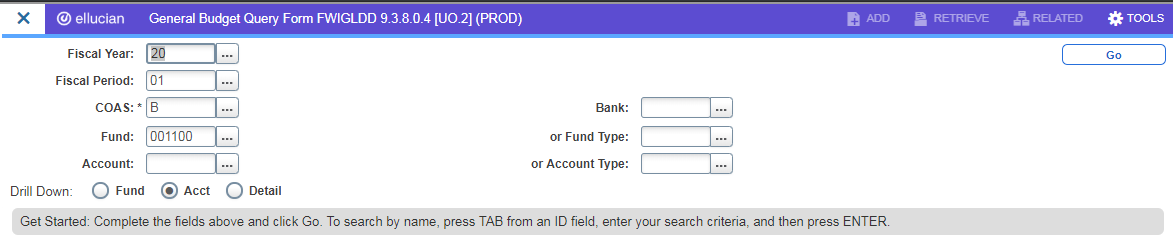
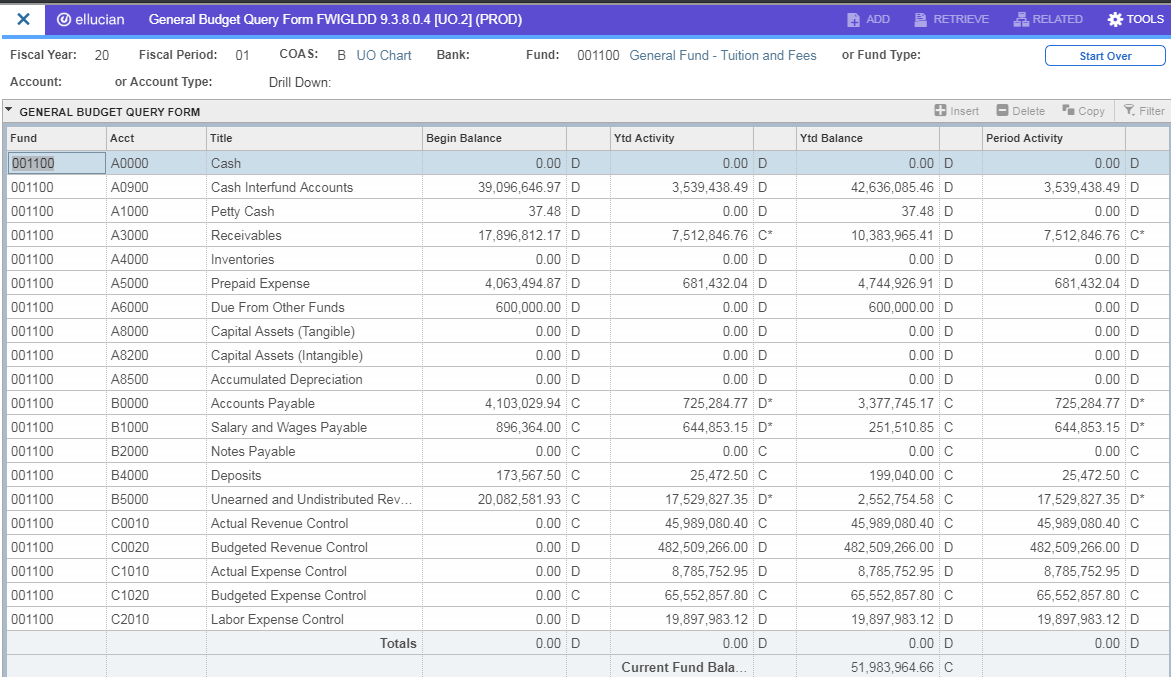
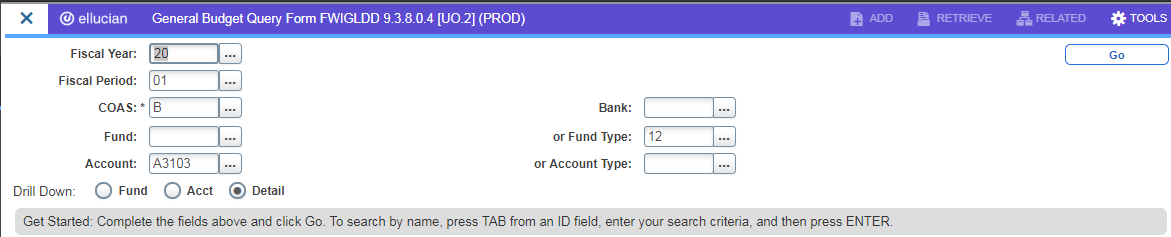
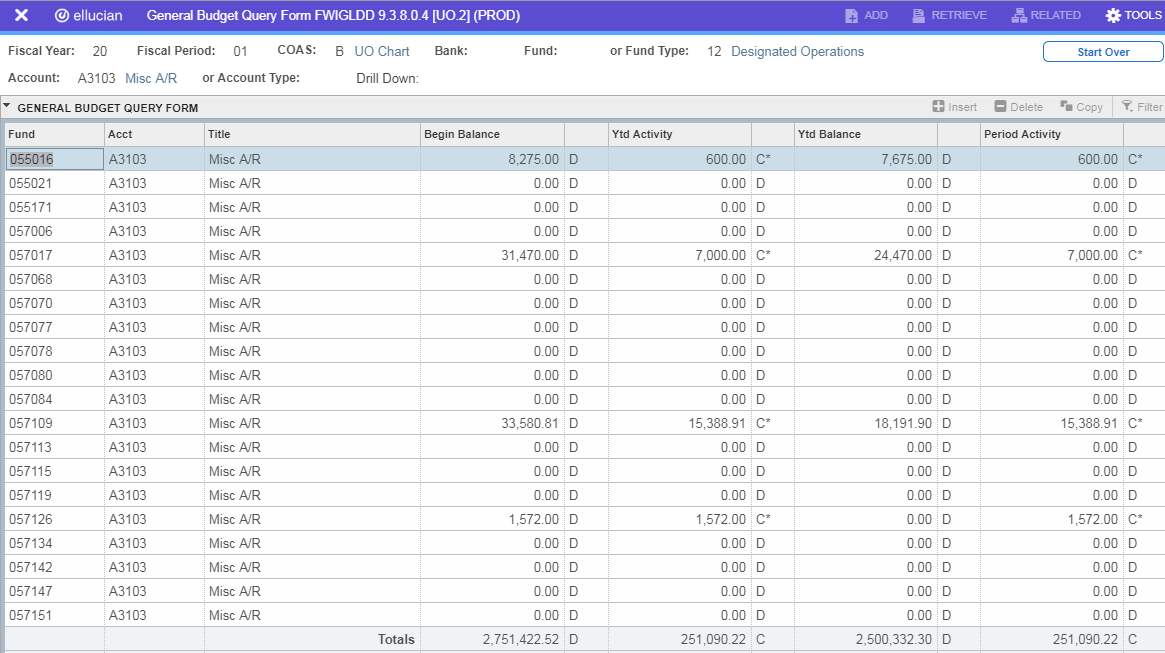
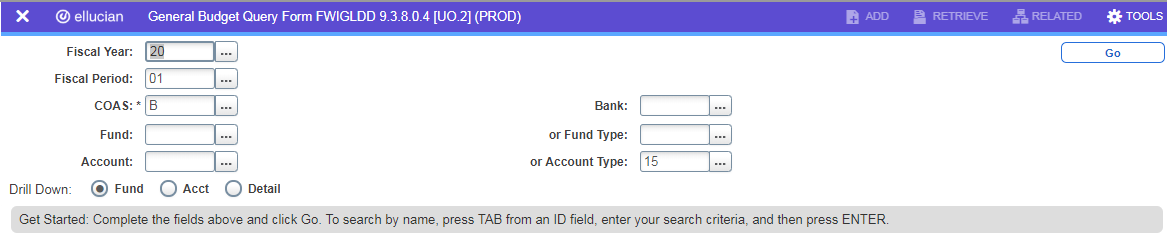
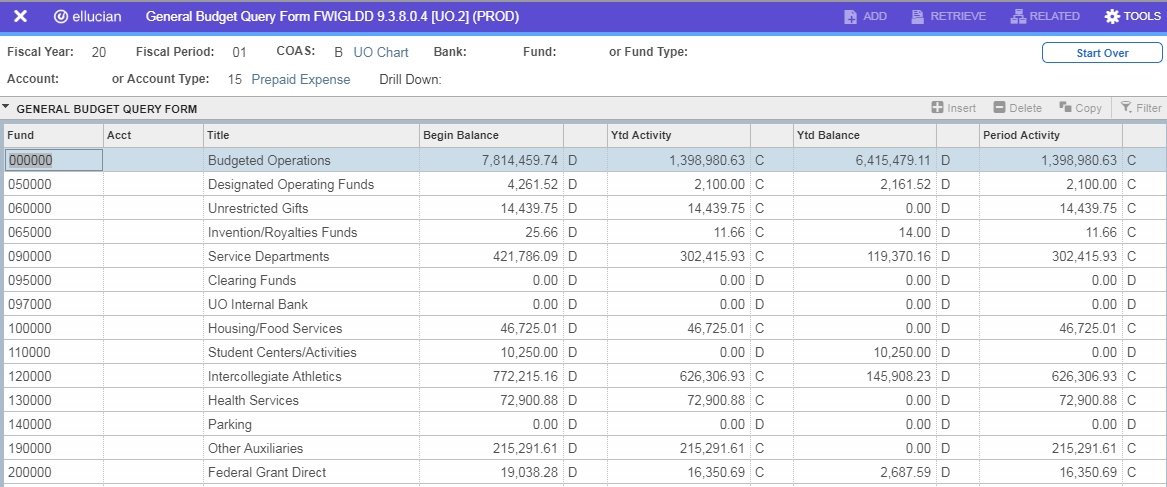
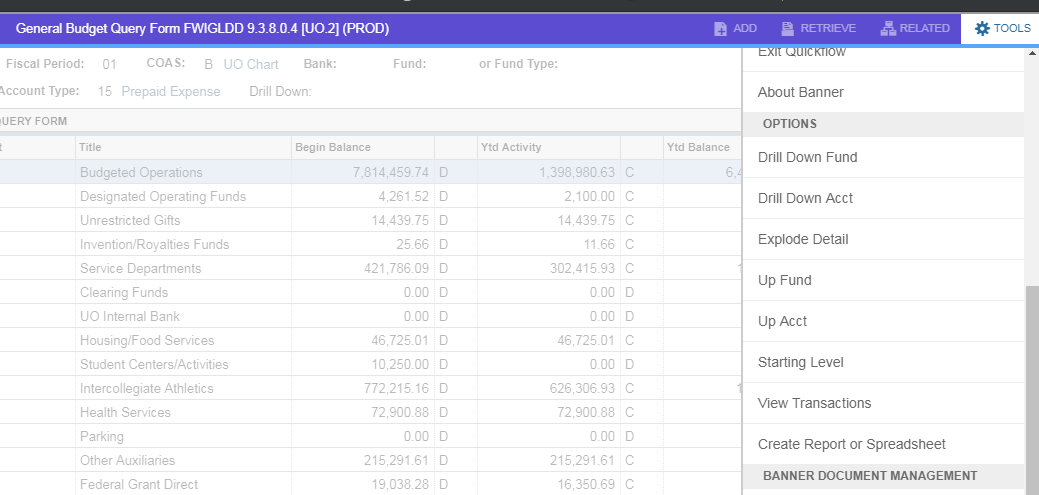
FWIGLDD

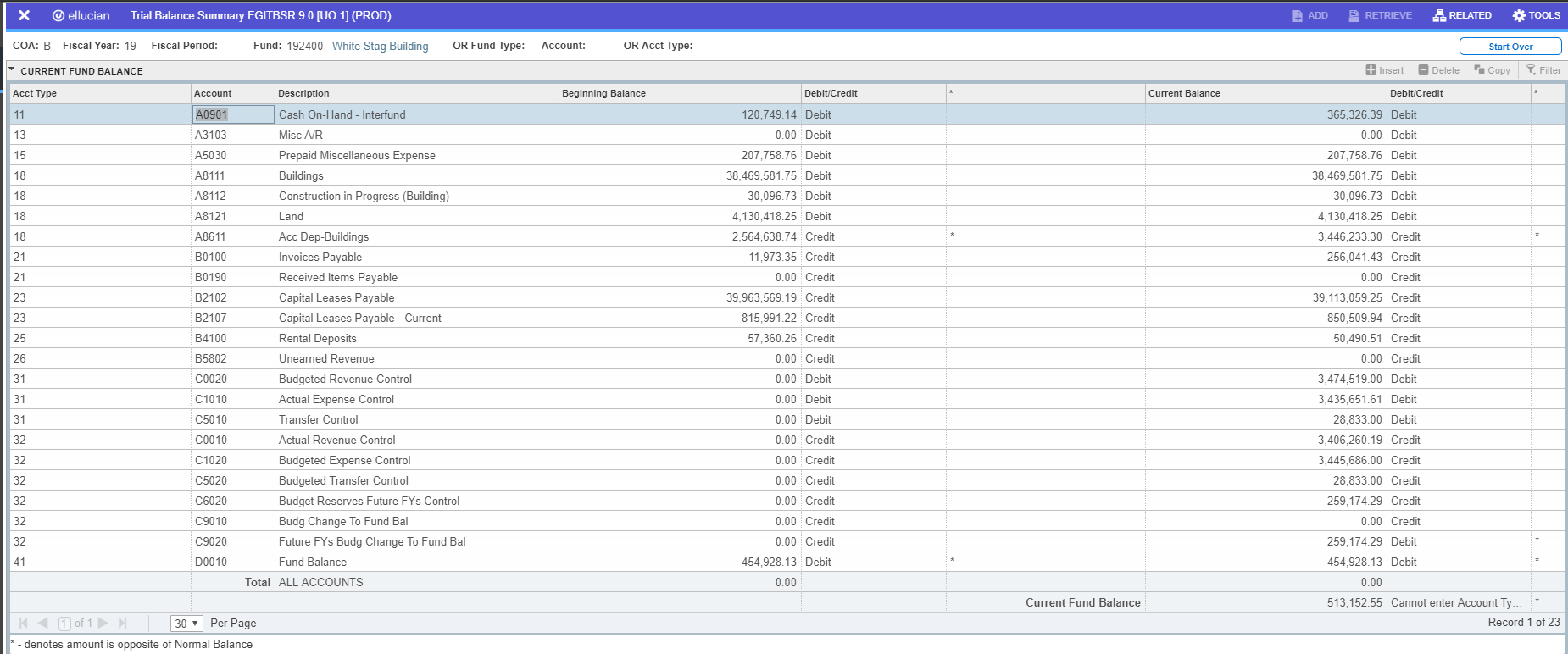
FGITBSR - Trial Balance Summary

FGITBAL - General Ledger Trial Balance

FGIBDST - Organization Budget Status

FGIDOCR - Document Retrieval Inquiry